
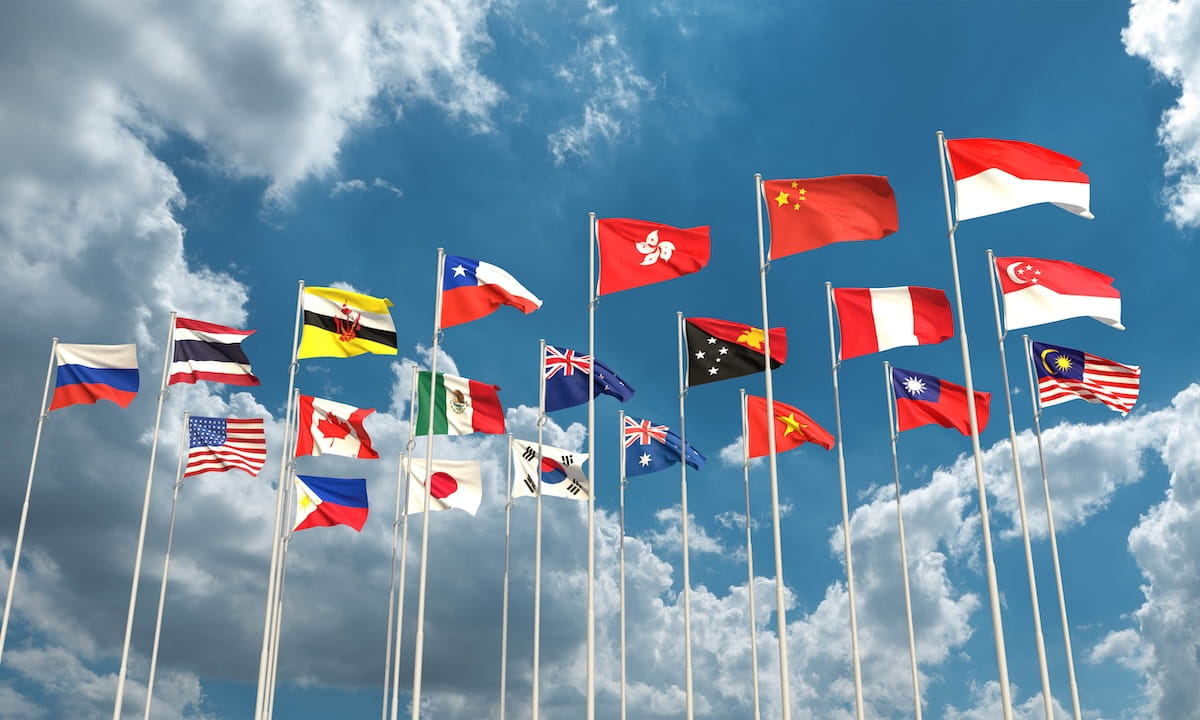
A multilingual website lets people learn about your organization in the language they’re most comfortable with. In Canada, that usually means English and French. But it could also mean Spanish, Punjabi, Mandarin, or whatever languages your clients and community speak.
This may sound like you: A French inquiry landed in your inbox and you weren’t entirely sure how to answer it. Perhaps you’re bidding on a government contract, or you’ve noticed visitors from Quebec leaving your site too quickly. If this is your situation, you’re probably wondering if adding another language is actually worth the time and money.
In this guide, we’ll walk through the real benefits, when a multilingual website makes sense (and when it can wait), how to build one step by step. All while making sure that it actually shows up in search.
The Short Answer: Is a Multilingual Website Worth It?
If you’re a Canadian organization that servse more than one language group, then the answer is yes. A multilingual website is worth it when your customers or community speak another language, when you serve Quebec or the public sector, and when you have a plan to keep every version up to date.
That last one — keeping all versions of content no matter the language updated — is a critical considerations. Some teams don’t think that far ahead, but without consistent updates and maintenance, a half-translated site can do more harm than good for your organizational reputation.
What Is a Multilingual Website?
A multilingual website offers the same content in multiple languages. Visitors pick their language from a menu, usually at the top of the page, and the whole site switches over: navigation, buttons, forms, and content.
When people mention bilingual websites, this is just a multilingual website with two languages. For many Canadian organizations, bilingual website design in English and French is where you want to start.
You should also know the difference between translation and localization, because the best multilingual websites do both:
- Translation changes the words from one language to another.
- Localization adapts the whole experience, including images, dates, currency, examples, and tone, so it your audience feels the content is made specifically for them.
Here’s a quick example. In Quebec, an email is usually a courriel. In France, it’s often just un e-mail. A site written for Parisian French can feel a little off to someone in Montreal. You’d be surprised the little things that readers notice.

The Benefits of a Multilingual Website
People Buy in the Language They Think In
Reading in a second language takes effort. When people need to exert too much effort, they drop off.
A 2020 CSA Research survey of 8,709 consumers in 29 countries found that 76% of online shoppers prefer to buy products with information in their own language. Even more telling is that 40% of them said they’ll never buy from websites in other languages.
This isn’t only true for online stores. Whether someone is booking a service, applying for a program, or requesting a quote, they want to understand exactly what they’re signing up for. That’s almost always easier to get when they’re able to communicate in their mother tongue.
Builds Trust From the First Click
When someone lands on your site and sees their own language, it sends a clear message: we thought about you. That matters even more in industries like healthcare, government, non-profits, and education. People need to feel confident they understand the information in front of them, and for good reason!
You Show Up in More Searches (AI Search Included)
Search engines show results in the language people search in. If someone in Gatineau searches in French, your English page probably won’t appear, no matter how good it is. A French version gives you a whole new set of keywords to rank for.
The same goes for AI tools like ChatGPT, Perplexity, and Google’s AI Overviews. When people ask questions in French, these tools tend to pull answers from French sources. No French content means you’re not part of the answer.
It Opens Doors to Quebec and the Public Sector
If you sell to customers in Quebec, the Charter of the French Language (strengthened by Bill 96) requires commercial information, including your website, to be available in French. Federal institutions also operate under the Official Languages Act, so bilingual content is often expected on projects that serve the public.
For many organizations, having a bilingual site will make the difference between it qualifying for work and being left out.
Important Note: This isn’t legal advice, so check with the Office québécois de la langue française (OQLF) or a lawyer about your own situation.
Often Less Competition in French
Fewer Canadian organizations publish strong French content than English content. That can make French keywords easier to rank for. Check the numbers for your industry in a keyword tool, but it’s often a quicker win than fighting for the same English keywords as everyone else.
Makes Your Site More Accessible and Inclusive
Your website’s accessibility rating isn’t only about screen readers and colour contrast. Offering content in multiple languages makes your information easier to use for more people, including newcomers to Canada and anyone more comfortable in French.
When a Multilingual Website is Worth It (and When it Can Wait)
As we mentioned above, you need to think about a multilingual website as an ongoing commitment, not just a one-time project. Every page, blog post, and update has to happen in every language. Before you jump in, you should ask yourself a few questions and answer honestly.
It’s probably worth it if:
- You already get visitors, calls, or emails in another language (check the location and language reports in Google Analytics)
- You sell to customers in Quebec, or plan to
- You work with government or public sector clients
- Your competitors already offer French content
- You serve communities where English isn’t everyone’s first language
It might be worth waiting if:
- Your current site needs work first. Fix the foundation before you double it.
- You don’t have the budget or people to keep translations current.
- You’d only translate a few pages and leave the rest in English.
What Affects the Cost of a Multilingual Website?
The cost depends on a handful of things: how many languages you add, how much content you have, and whether you use professional translators, AI translation, or a mix. Your platform matters too, since some handle multiple languages out of the box while others need paid plugins.
The part people forget is upkeep. Plan for translation every time you add or change content, not just at launch. You need to be realistic about your budget, which means including everything.
Why We Often Recommend Drupal for Multilingual Websites
If you’re planning a multi-language website that you expect to grow over time, Drupal is hard to beat. Its multilingual tools are built into the core software. That means you’re not paying for extra licences or relying on a patchwork of plugins to translate your site.
Here’s what that looks like day to day:
- Everything can be translated. Pages, menus, forms, and even system messages are all managed from one place.
- No per-word fees. Built-in translation means your costs don’t climb every time you publish something new.
- Easier upkeep. Your team can see which pages have a translation and flag the ones that need updating.
- Room to grow. You can add a third or fourth language later without rebuilding your site.
- Trusted for complex content. Governments, universities, and non-profits around the world rely on Drupal for large, multilingual websites.
That said, Drupal isn’t the right fit for every site. A small site with a handful of pages might be better served by WordPress with a multilingual plugin, and that’s okay. The best platform is the one that fits your content, your team, and your budget.
How Cheeky Monkey Media Can Help
We’ve specialized in Drupal for almost 20 years, so we know how to get the most out of its multilingual features. We’ll help you choose your languages and URL structure, set up a translation workflow your team can actually manage, and build every version with multilingual search engine optimization (SEO) right from the beginning.
We also support WordPress, so when you meet with our team, we’ll give you honest advice about which platform fits your goals. You won’t find any one-size-fits-all pitches here.
Talk to our team about getting the website support you need.
How to Make a Multilingual Website in 7 Steps
1. Choose Your Languages Based on Real Data
Start with the people you already serve. Look at your analytics, your customer list, and the calls and emails coming in. For most Canadian organizations, English and French is the obvious choice. Add more languages only when you have a clear audience for them.
Remember to think about regional versions too. We’ve already talked about this but Canadian French (fr-CA) and France French (fr-FR) aren’t the same, and your audience will notice which one you chose.
2. Pick Your URL Structure
Each language needs its own web address so search engines can find and index it. You have three main options:
| Option | Example | Best for | Watch out for |
|---|---|---|---|
| Subdirectories | example.ca/fr/ | Most organizations. Simple to manage, and every language shares your site’s SEO strength. | Needs a platform that handles languages well |
| Subdomains | fr.example.ca | Separate teams or regional sites | Search engines may treat each one more like its own site |
| Country-code domains (ccTLDs) | example.fr | Targeting a specific country | Each domain builds authority from scratch and costs more to manage |
If you’re on a .ca domain, you’re already using a country-code domain for Canada. Adding /en/ and /fr/ subdirectories is usually the simplest and strongest choice.
3. Decide How You’ll Translate
Most organizations use a mix of human and AI translation. What this looks like in practice is professional translators handle the pages that matter most, like your homepage, services, and legal pages. AI or machine translation creates fast first drafts for everything else. Then a fluent speaker reviews this content.
AI translation has come a long way, but it still misses tone, idioms, and industry terms. Those small slips are what make readers trust you less. Whatever you choose, build a simple glossary of your brand name, product names, and key terms so the translations you do — no matter the technique — stays consistent.
4. Localize, Don’t Just Translate
If you have the budget and resources, go beyond just words. Swap images that don’t fit the audience, adjust date and number formats, and rewrite slogans or puns that don’t work in other languages.
French text often runs longer than English, so make sure your design has room for it. Test buttons, menus, and headings so nothing breaks or gets cut off.
5. Set Up Multilingual SEO
If you’ve heard of search engine optimization, or SEO, you’re already halfway to understanding “multilingual SEO.”
So we’re all on the same page, SEO is everything you do to help your website show up when people search on Google. Multilingual SEO takes that same idea and applies it to every language on your site. It’s how you make sure your French pages show up for people searching in French, and your English pages show up for people searching in English.
That means doing keyword research in each language, adding a bit of code that tells Google which version is which, translating your page titles and descriptions, and making sure every language is in your sitemap.
Don’t worry, we’ll break each of these down in the next section.
6. Add a Clear Language Switcher
Put your language switcher in the header, where it’s easier for your website visitors to find. This is where they’ll expect to find it. Use language names like “Français” and “English” instead of flags. Flags represent countries, not languages, and a French flag points to France, not Quebec.
Be careful about automatically switching languages based on someone’s location. Someone in Montreal might prefer English, and someone in Toronto might prefer French. Let people choose, then remember their choice.
7. Test, Then Keep it Up-to-Date
Before launch, have a fluent speaker click through every page, menu, form, and confirmation email in each language. We often find bits of English hiding in forms, error messages, and automated emails.
After launch, build translation into your regular publishing routine. If your French page is outdated and your English version was just refreshed, it tells some visitors they’re an afterthought.
Multilingual Website SEO: How to Get Found in Every Language
Do Keyword Research in Each Language
Don’t just translate your English keywords word for word. People phrase searches differently in each language. For example, “web design” in French could be conception de site web or création de site web. One version may get far more searches than the other.
Use a tool like Semrush, Ahrefs, or Google Keyword Planner set to the right language and location.
Add Hreflang Tags
Hreflang tags are small bits of code that tell Google, “this page also comes in French, and here’s where to find it.” They help the right version show up in the right search results, and they prevent mix-ups between similar versions, like English pages for Canada and the US.
Here’s an example of what they look like:
<link rel=”alternate” hreflang=”en-ca” href=”https://example.ca/en/services/” />
<link rel=”alternate” hreflang=”fr-ca” href=”https://example.ca/fr/services/” />
<link rel=”alternate” hreflang=”x-default” href=”https://example.ca/en/services/” />
You don’t need to write these by hand. A good platform or your web team should set them up automatically.
Translate Your Metadata, URLs, and Alt Text
Page titles, meta descriptions, URL slugs, and image alt text all need translating too. A French page with an English title in search results looks unfinished. Your audience is also less likely to click.
Submit Sitemaps and Build Local Links
Make sure your sitemap includes every language version, then submit it in Google Search Console. Over time, look for links from French-language websites, like local associations, partners, and media, to build authority for your French pages.
Choosing the Best Platform for Your Multilingual Website
Most modern content management platforms (CMS) can handle multiple languages. The real difference is how much work it takes, especially if you expect your site to grow.
- Drupal has multilingual features built right into its core. You can translate content, menus, forms, and settings without extra plugins. That makes it a strong option if you have a larger site or you’re part of an organization with several languages with lots of content.
- WordPress uses plugins like WPML or Polylang. It works well for many sites, especially smaller ones. Just plan for plugin costs and keeping everything updated.
- Website builders like Wix, Squarespace, and Webflow offer built-in tools or add-ons. They’re quick to set up but can feel limiting if you need custom features or have a lot of content.
- Translation layers like Weglot sit on top of almost any site and translate it automatically. They’re fast, but you get less control, and pricing is usually based on word count.
We’ll repeat: There’s no single best option for everyone. The right choice depends on how much content you have, how many languages you need, and who’s going to manage the site day-to-day.
Let’s Talk About a Multilingual Website for Your Organization
A multilingual website is one of the clearest ways to show people they’re important to you. If your organization does it well, it builds trust, opens new markets, and helps you show up in more searches. If you do it without a clear strategy, it can do the opposite.
At Cheeky Monkey Media, we’ve spent almost 20 years building and supporting websites for Canadian organizations. If you’re not sure whether a multilingual website is right for you, we’re happy to look at your current site and talk it through. Start by booking a free consultation with our team.
Frequently Asked Questions
Does a multilingual website help SEO?
Yes. Each language version can rank for keywords in that language, giving people more ways to find you. To get the benefit, you need proper multilingual SEO: separate URLs, hreflang tags, and translated metadata.
Can I use AI to translate my website?
AI is great for a fast first draft, but have a fluent speaker review anything important. If you only use AI, it can miss tone, local terms, and industry language. And if your customers see these small slights, they’ll cost you trust.
Do Canadian businesses need a French website?
Not all of them. But if you sell to customers in Quebec, French is generally required under the Charter of the French Language. Federal institutions have bilingual requirements too. Check with a legal professional about your specific situation.
How many languages should my website have?
Start with the languages your customers actually use. For most Canadian organizations, that’s English and French. It’s better to do two languages well than five poorly.
What’s the difference between a bilingual and a multilingual website?
A bilingual website has two languages. A multilingual website has two or more. Every bilingual site is a multilingual site, just a smaller one.
How do I make my website international?
Start by choosing the languages and regions you want to reach. Then set up separate URLs for each, translate and localize your content, and add hreflang tags so search engines know who each version is for.